ProtoPOS Call (708) 589-4424
SoftTouch POS logo
SoftTouch POS · Element software

A POS built around your service.

SoftTouch Element POS brings restaurant ordering, guest-facing options, and management tools into one system. ProtoPOS can help you explore the setup that fits your dining room, counter, bar, or delivery operation.
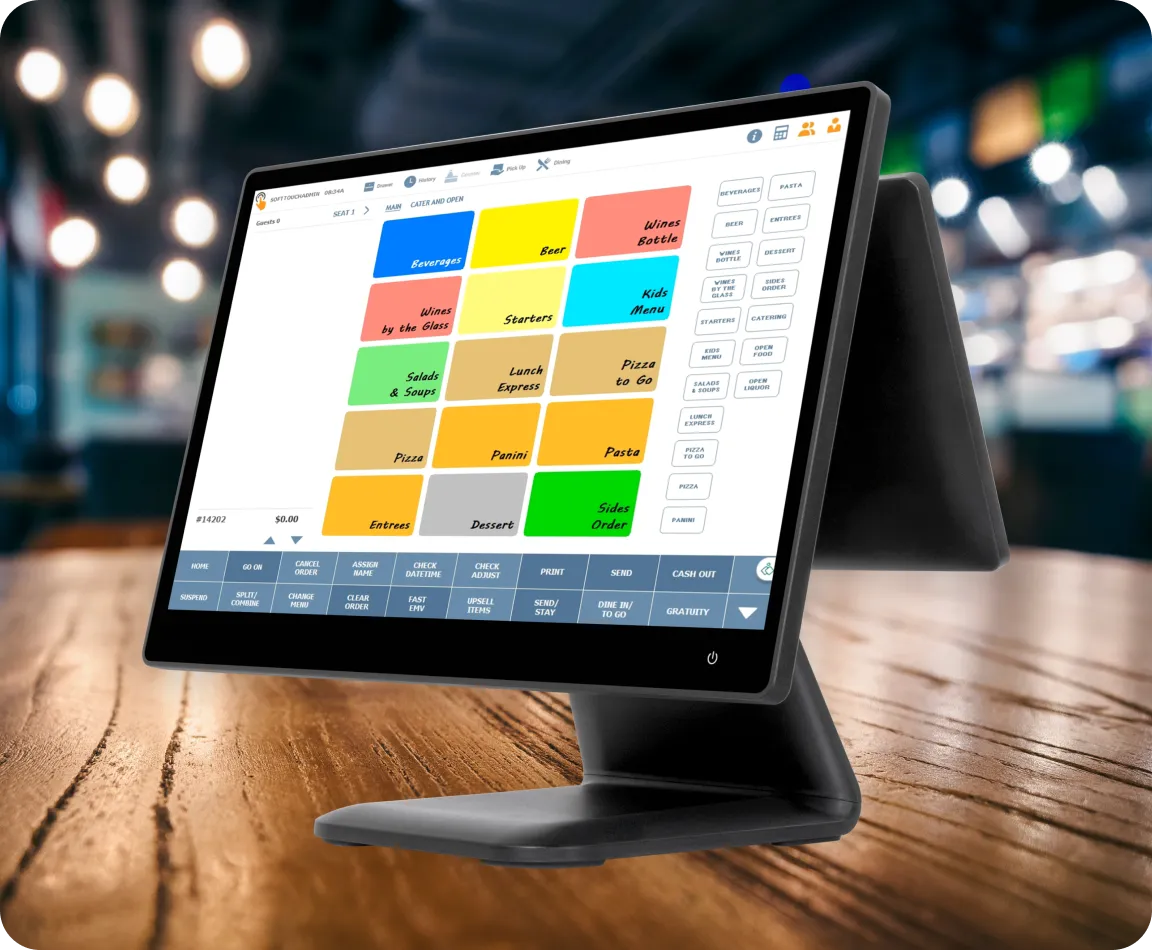
SoftTouch Element POS terminal showing a restaurant order-entry screen
SoftTouch Element POS product image
Made for different ways to serve
  • Counter service
  • Table service
  • Drive-thru
  • Takeout & delivery
Element POS capabilities

Tools for guests, staff, and managers.

SoftTouch groups its restaurant features around the guest experience, management, service modes, and delivery. ProtoPOS can help you decide which tools belong in your setup.

01 / CUSTOMER FACING

Order where the guest is

Offer a mix of in-person and digital ordering paths.

  • iPOS order and pay at the table
  • DineBlast mobile ordering
  • Third-party online ordering integration
  • Paperless QR menus
02 / CUSTOMER EXPERIENCE

Keep service personal

Built-in options help teams follow the guest journey.

  • Loyalty and gift cards
  • Floating checks and customer paging
  • Real-time feedback
  • Pay and order at the table
03 / MANAGEMENT

Stay on top of a shift

Tools for the people coordinating the floor and the numbers.

  • Inform alerts and automatic notifications
  • Employee scheduling and contests
  • Cash management and advanced tip sharing
  • Mobile dashboard and reporting
04 / DELIVERY

Connect the off-premise flow

Support orders after they leave the dining room.

  • Delivery maps and address auto-fill
  • Delivery boundaries and optional fees
  • Caller ID integration
  • Driver management console
System modes

One operation, different ways to serve.

Element provides layouts for the work happening at the counter, at a table, in the drive-thru, or through takeout and delivery. We can show you how those modes fit your restaurant.
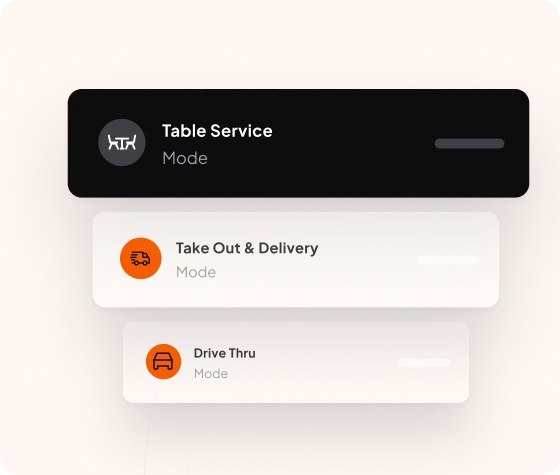
  • Counter serviceKeep ordering close to the register.
  • Table serviceFollow checks and service across the dining room.
  • Drive-thruUse a layout suited to orders on the move.
  • Takeout & deliveryManage orders beyond the dining room.
SoftTouch illustration showing table service, takeout and delivery, and drive-thru modes
SoftTouch Element service modes
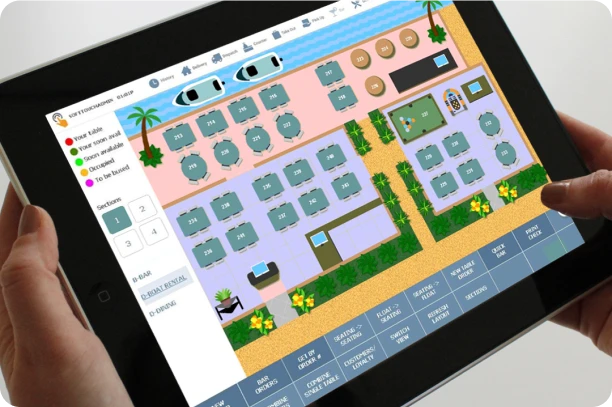
SoftTouch table management screen on a handheld device showing a restaurant floor plan
SoftTouch table service view
Guest experience

Closer to the table. Clearer on the floor.

SoftTouch includes ways to order and pay at the table, keep checks flexible, and stay in touch with guests during service.

iPOSOrder and payment options at the table.
Floating checksKeep a check moving with the guest.
Loyalty & giftPrograms for repeat visits and gifting.
Feedback & pagingTools for communication as service unfolds.
Takeout & delivery

Take orders beyond the dining room.

SoftTouch lists DineBlast mobile ordering, integrations for third-party online orders, and tools for the delivery side of the business.

  • Address auto-fill, caller ID, and delivery mapping
  • Delivery boundaries with an optional upcharge
  • A console for managing drivers
  • Paperless menus and online ordering options

We can review what is available for your operation and how incoming orders reach your staff.
SoftTouch food delivery imagery with a phone beside ingredients
Food delivery
Guest interacting with a touchscreen ordering device
Digital ordering
Beyond the register

Options as your operation grows.

SoftTouch’s wider suite includes ordering, checkout, floor management, payment, and reporting options. We can talk through which components are relevant for your restaurant.

Explore SoftTouch products →
Handheld & tabletopTake orders or payments closer to the guest.
Online orderingDineBlast and connected ordering options bring digital orders into the operation.
Self-serviceExplore kiosk and tabletop ordering for the way guests use your space.
Table managementSee the room visually and coordinate seating and service.
Handheld POS
Online ordering
Kiosk ordering
Table management

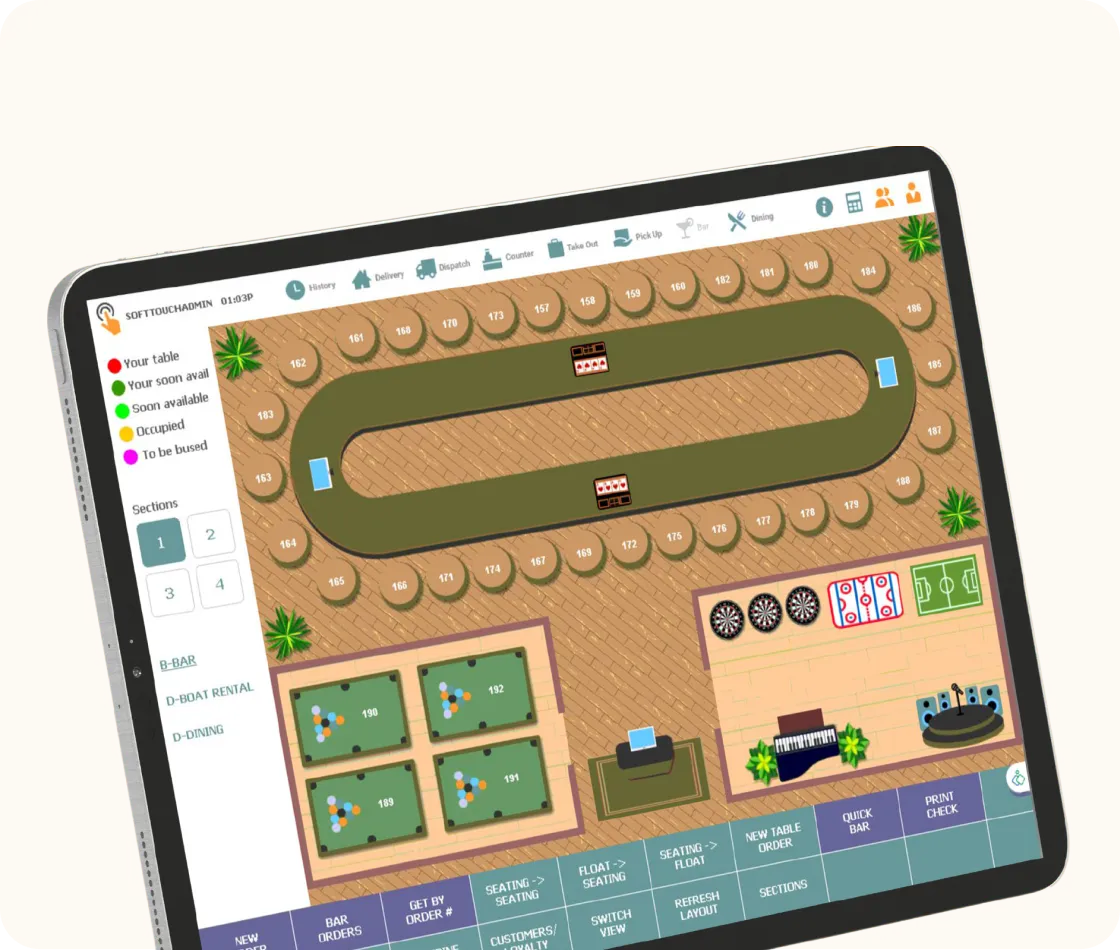
See the floor at a glance.

SoftTouch’s table management view gives teams a visual way to follow seating and service across the room.
SoftTouch POS table management screen showing a restaurant floor plan
ST Dash

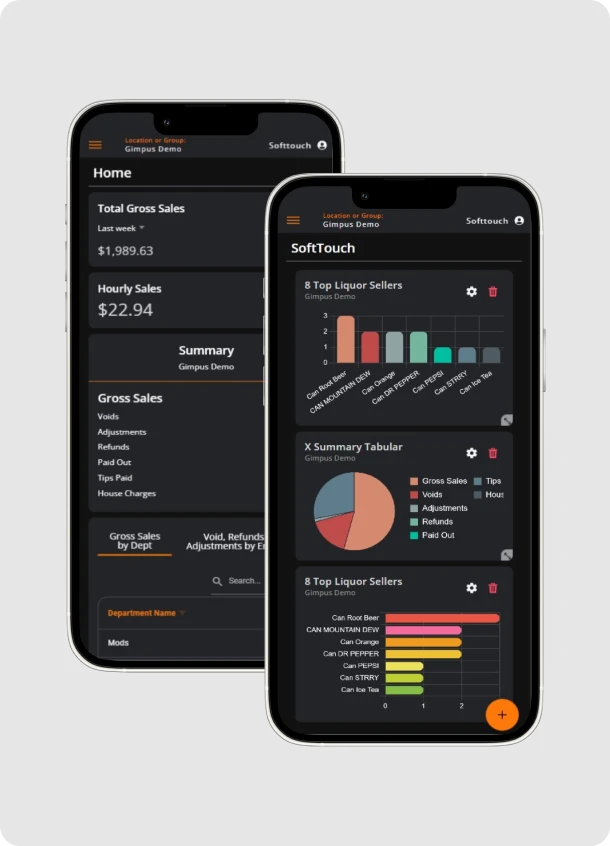
The numbers, wherever you are.

ST Dash is SoftTouch’s mobile reporting companion. It brings views of POS and online activity together for owners and managers.

  • Multi-location reporting
  • Online order views
  • Reporting dashboard
  • Gift card reconciliation
  • Real-time POS and online reporting
  • DineBlast ordering controls

Ask us which reports and controls are included with the setup you choose.
SoftTouch ST Dash mobile reporting screens showing sales charts and figures
SoftTouch ST Dash mobile reporting
Common questions

Find the setup that fits.

SoftTouch lists a broad set of tools. ProtoPOS can help you confirm which are right for your restaurant and proposal.

Does Element support table service and counter service?

Yes. SoftTouch lists layouts for table service, counter service, drive-thru, and takeout and delivery. We can walk through the workflow for your team.

Can guests order online or at the table?

SoftTouch lists iPOS table ordering and payment, DineBlast mobile ordering, QR menus, and third-party online ordering integration. Availability depends on the configuration.

What delivery tools are listed?

SoftTouch lists mapping, address auto-fill, caller ID integration, delivery boundaries and optional fees, and a driver management console.

What can managers see in ST Dash?

SoftTouch describes mobile views for multiple locations, online orders, gift card reconciliation, and real-time POS and online reporting. We can review the specific views during a demo.

What other products can be added?

The SoftTouch suite includes handheld POS, tabletop and kiosk ordering, table management, online ordering, and other options. See the product suite for an overview.

Talk with ProtoPOS

See if SoftTouch fits your restaurant.

Tell us how your team takes orders and serves guests. We’ll help you explore the right configuration.